GeoGebra 4.2.47.0

SPONSORED LINKS

    Specification

  • Version: 4.2.47.0
  • File size: 28 MB
  • File name: GeoGebra-Windows-Installer-4-2-47-0.exe
  • Last update:
  • Platform: Windows 8, Windows 7, Windows Vista, Windows XP, Windows 2000, Windows 98
  • License: GPL
  • Company: GeoGebra Inc. (View more)

GeoGebra 4.2.47.0 Download Publisher Review:


GeoGebra' 4.2.47.0 is GPL Science software design by GeoGebra Inc.. It runs on following operating system: Windows 8, Windows 7, Windows Vista, Windows XP, Windows 2000, Windows 98. Dynamic mathematics software used for geometry, algebra and calculus


Whats new in version 4.2.47.0:
New Tools:
• Plane
• Right prism
• Sphere
• View in front of
New Features:
Extended types to 3D:
• Points
• eg A=(5,-2,1)
• Vectors
• eg u=(5,-2,1)
• eg Cross product: a = u ? v
• Lines
• Segments
• Rays
• Polygons
• Circles
New Object Types:
Surfaces:
• eg f(x,y) = sin(x * y)
• eg Function[sin(a * b), a, -5, 5, b, -5, 5]
• Planes
• eg x + y + z = 1
• Pyramids
• Prisms
• Spheres
• Cylinders
• Cones
3D View:
Applets:
• 3D export to applets is not supported at the moment
Moving objects:
• left-drag points in the 3D view. Click on the point to change the mode "along xOy plane" to "along z axis", and so on
Translation of the scene:
• shift+left-drag the 3D view (without pointing on a moveable object)
• use move view tool
Rotation of the scene:
• "Rotate 3D graphic view" tool
• right-drag the 3D view (without pointing on a moveable object)
• continue rotation when mouse released
• view in front of an object (toolbar)
Zoom:
• use wheel mouse
• use zoom tool
Gridlines:
• show/hide axes, grid, xOy plane
Commands:
• Improved Commands
• All commands below works wi...


Publisher review:
GeoGebra is a very useful  mathematics tool for education in secondary schools, which brings together geometry, algebra and calculus.

GeoGebra is also a dynamic geometry system, meaning you can do constructions with points, segments, vectors, lines, conic sections as well as functions and change them dynamically afterwards.

On the other hand, equations and coordinates can be entered directly. Thus, GeoGebra has the ability to deal with variables for numbers, vectors and points, finds derivatives and integrals of functions and offers commands like Root or Extremum.

These two views are characteristic of GeoGebra: an expression in the algebra window corresponds to an object in the geometry window and vice versa.
GeoGebra key features:

  • Captions enabled for all objects
  • New option "Force Reflex Angle" forces angles to be between 180 and 360 degrees
  • Pressing toggles the focus between the Input Bar and the Graphics View
  • Improvements to the way translation works
  • Dynamic colors (Properties -> Advanced tab). Set a function with range [0,1] for each color component (red, green, blue)
  • Option for the grid to be bold
  • Thumbnail saved in GGB files.
  • Worksheets resized if they were saved on a larger screen
  • Isometric grid
  • Comparing objects of different types doesn\'t return an error, can now compare Text and Image objects
  • If the Points Export_1 and Export_2 exist, they will be used to define the export rectangle (Export_1 and Export_2 must be within the visible area)
  • Checkbox now consistent across all platforms
  • Options -> Checkbox Size -> Regular/Large
  • Perpendicular check added to "Relation between two objects" Tool
  • Messages from "Relation between two objects" Tool rewritten
  • Angular Bisector Command and Tool renamed to Angle Bisector
  • Line Bisector Command and Tool renamed to Perpendicular Bisector
  • BMP import
  • Unicode fonts used in LaTeX equations
  • LaTeX equations exported at full resolution
  • in SVG and PDF export, option to export text as editable text or shapes. Stores the text either as text (lets you edit the text in eg InkScape) or as bezier curves (ie guaranteed to look the same even if the correct font is not installed).
  • support for inline equations and linefeeds in LaTeX eg "if x=9 find $ sqrt{ x } $"
  • Angle entered in rotate dialog box is remembered (if it is in degrees)
  • Show All Objects in Graphics View menu
  • Option for up to 15 decimal places
  • x^0, x^1, x^7, x^8, x^9 now displayed nicely
  • PGF/TikZ export
  • added degree symbol to axes units
  • new command-line parameter: --antiAliasing=off
  • defines e to be the Euler number when used in expressions (unless it has already been defined to something else)
  • templates for 2x2 and 3x3 matrix in LaTeX drop-down menu
  • Option to display numbers as Significant Figures (3,5,10,15)
  • New options Edit -> Select Descendents/Select Ancestors
  • Double-click on an object in the Graphics View opens the redefine dialog, which now has a button to open the Properties dialog as well as \'OK\' and \'Apply\' buttons
  • "Input Field" renamed to "Input Bar"
  • "Algebra window" renamed to "Algebra View"
  • "Graphics window" renamed to "Graphics View"
  • Algorithm to decide which point to select added (rather than popping up a menu)
  • Points in the form (a, b), (a + c, b + d) and (a + x(A), b + x(B)) are draggable (the variables a & b are updated accordingly)
  • Ctrl + to zoom in, Ctrl - to zoom out
  • New menu option "Recompute all Objects (F9)" which updates all the random numbers
  • Set point style for lists of points
  • Set line style for lists of lines
  • Set filling style for lists of eg circles, polygons
  • Set text style for lists of texts
  • Animation of sliders
  • f\'(x) is automatically named f\'(x) [ ie you can type just f\'(x) rather than f\'(x) = f\'(x) ]
  • Shift-right drag will now allow a zoom that allows the aspect ratio to change
  • you can now set the line thickness of polygons created with eg Sequence[Polygon[(i,i),(i+1,i),(i+1,i+1)],i,1,3]
  • polygons can now have line thickness 0 (ie no edges)
  • In Captions, %v is replaced by the value and %n by the name, eg "The value of %n is %v"
  • Captions can now be surrounded by ... or ... to get bold or italic
  • Alt-click or F3: copy definition of selected object to the Input Bar
  • F4: copy value of selected object to the Input Bar
  • F5: copy name of selected object to the Input Bar
  • Alt-scroll wheel: accelerated zoom
  • Alt-dragging a selection rectangle puts a list of the objects selected in the Input Bar
  • Hold down Alt when drawing a Line, Segment, Ray or Vector forces the angle to be a multiple of 15 degrees
  • File -> Open shows a preview image when available
  • Properties -> Color shows the color as an RGB triple in the preview pane eg (0,0,255)
  • Area[Arc], Perimeter[Arc] work (treating the arc as a segment)
  • sin(π x) now prints the π nicely
  • Objects are now redefined from the input bar eg A = Point[f] then A = (1,2) will now make A a free object
  • Shift-double-click on a point on line/circle/function/etc in the Algebra View will allow you to set the coordinates without redefining it
  • Record to Spreadsheet Tool: you can now alt-click on a Point, Vector or Number to have its value(s) copied into columns A and B
  • \\n replaced by newline in texts eg Text["GeoGebra\\nRocks",(3,4)]
  • can\'t have functions called sin, cos etc
  • New point styles (plus, diamond, triangles)
  • Size of the drawing pad in pixels can be obtained with pixelsWidth = x(Corner[5]) and pixelsHeight = y(Corner[5])
  • Export to Google Gadget and MediaWiki


Operating system:
Windows 8, Windows 7, Windows Vista, Windows XP, Windows 2000, Windows 98

Other version information:

Software Version Release date File size
GeoGebra4.2.3.0 Sta2012-12-0617715 KB
GeoGebra4.2.16.0 St2013-01-219369 KB
GeoGebra4.2.21.0 St2013-02-209400 KB
GeoGebra4.2.23.0 St2013-03-1138000 KB
GeoGebra4.2.24.0 St2013-03-1238000 KB
GeoGebra4.2.25.0 St2013-03-2138000 KB
GeoGebra4.2.28.0 St2013-03-2537990 KB
GeoGebra4.2.30.0 St2013-04-1137990 KB
GeoGebra4.2.31.0 St2013-04-1537990 KB
GeoGebra4.2.31.02013-04-2437990 KB
GeoGebra4.2.34.02013-04-2828876 KB
GeoGebra4.2.36.02013-05-1728876 KB

Related downloads:

Latest news

What's new on Apple's iOS 7 Beta 1

What

Apple unveiled in WWDC 2013 the new operating system for iPhone - iOS 7. It comes with a fairly long list of new features. Along with these, Apple has prepared a new visual interface. The beta version of the operating system is currently run only on phone

Posted on: 12 Jun 2013 02:20 by A. Brown

New versions of iOS and OS X developed by Apple, will be launched Monday

New versions of iOS and OS X developed by Apple, will be launched Monday

Monday will be an important day for Apple as it will be presenting new versions of iOS and OSX operating systems.

Posted on: 10 Jun 2013 02:33 by A. Brown

New Interface for Firefox 25

New Interface for Firefox 25

Mozilla prepares a restored version of the interface for Firefox , which will replace the current one since October, with the release of Firefox 25. Until then, the team of Mozilla project provides us with a brief summary of changes in the new interface.

Posted on: 06 Jun 2013 07:48 by A. Brown

Microsoft reveals some updates for Windows 8.1 before Public Preview launch

Microsoft reveals some updates for Windows 8.1 before Public Preview launch

Microsoft has already confirmed that Windows 8 will make the jump to version 8.1 somewhere this summer.

Posted on: 05 Jun 2013 05:41 by A. Brown

SPREAD THE WORD

User Rating

GeoGebra
Rating: 4.0 out of 5
Based on 26 ratings. 26 user reviews.

  • Currently 3.96 out of 5
  • 1
  • 2
  • 3
  • 4
  • 5

Screenshot:

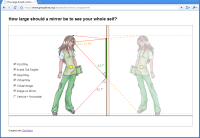
GeoGebra 4.2.47.0 screenshot. Click to enlarge!
Screenshots(1)